How to Export a Canva Document for Offset Printing
Designing in Canva is fast and convenient, but exporting your file correctly is critical when the job is for offset printing. A wrong export setting can cause color shifts, low image quality, or print rejection from the printing press.
In this guide, you’ll learn how to properly export your Canva document so it meets professional offset printing requirements and is ready for press.
Step-by-Step: Exporting Your Canva File for Printing
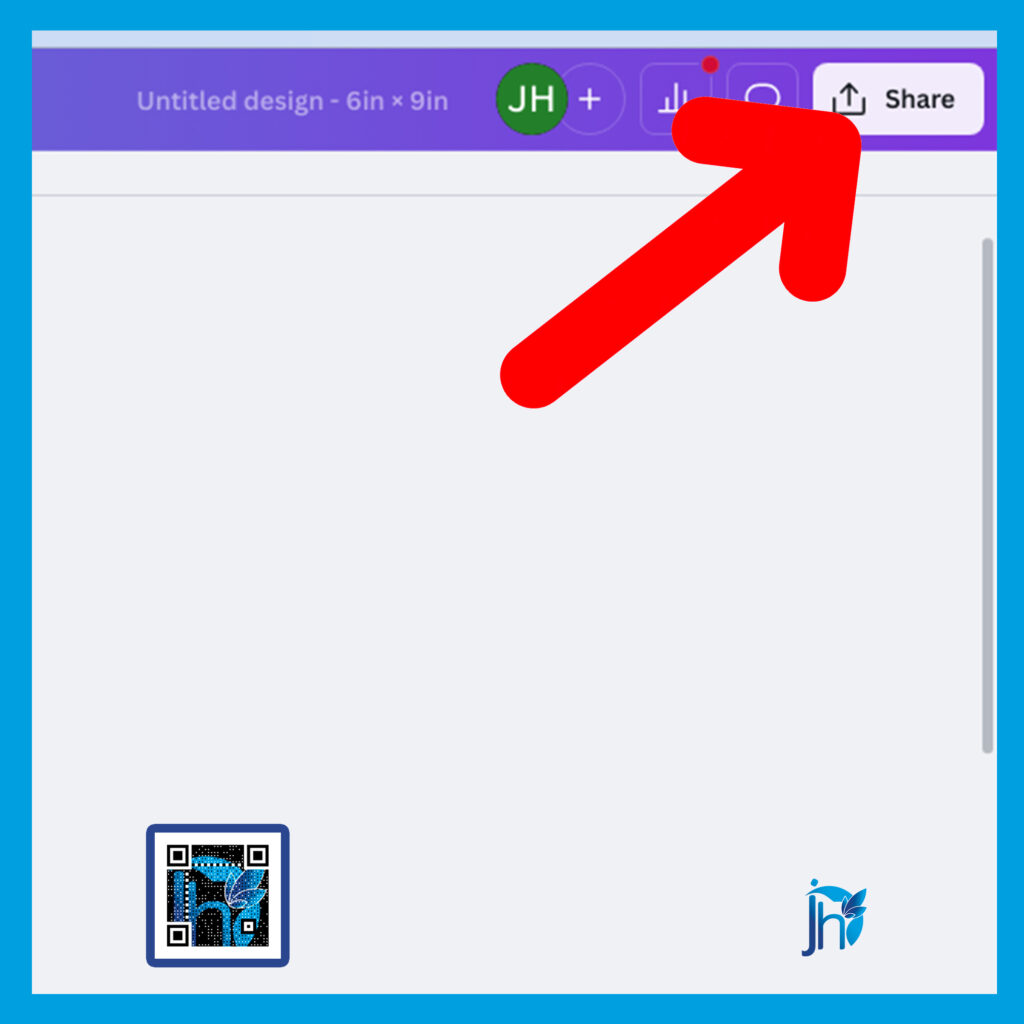
Step 1: Click the Share Button
At the top-right corner of your Canva workspace, click the Share button.
Step 2: Click Download
From the menu options, select Download.

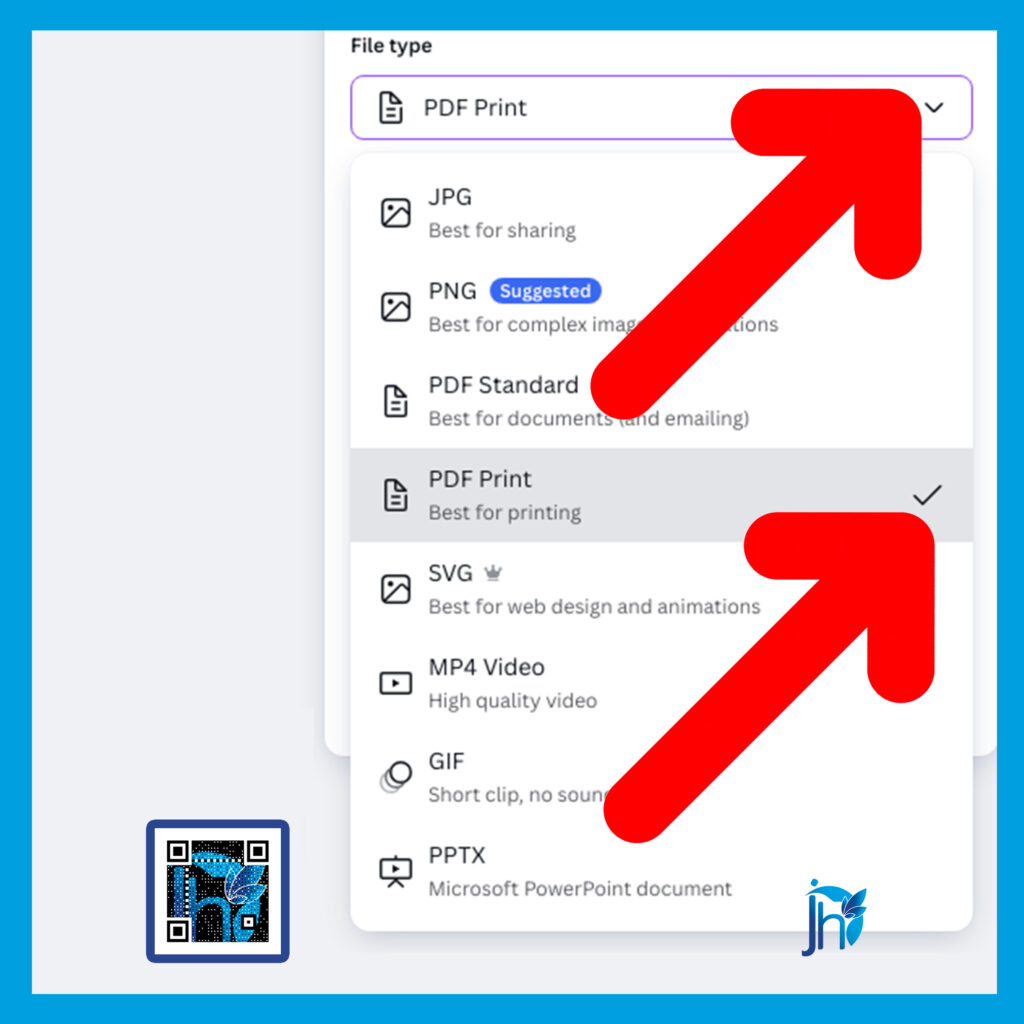
Step 3: Choose the Correct File Type
Under File type, select:
PDF Print (This is the best option for high-quality printing.)
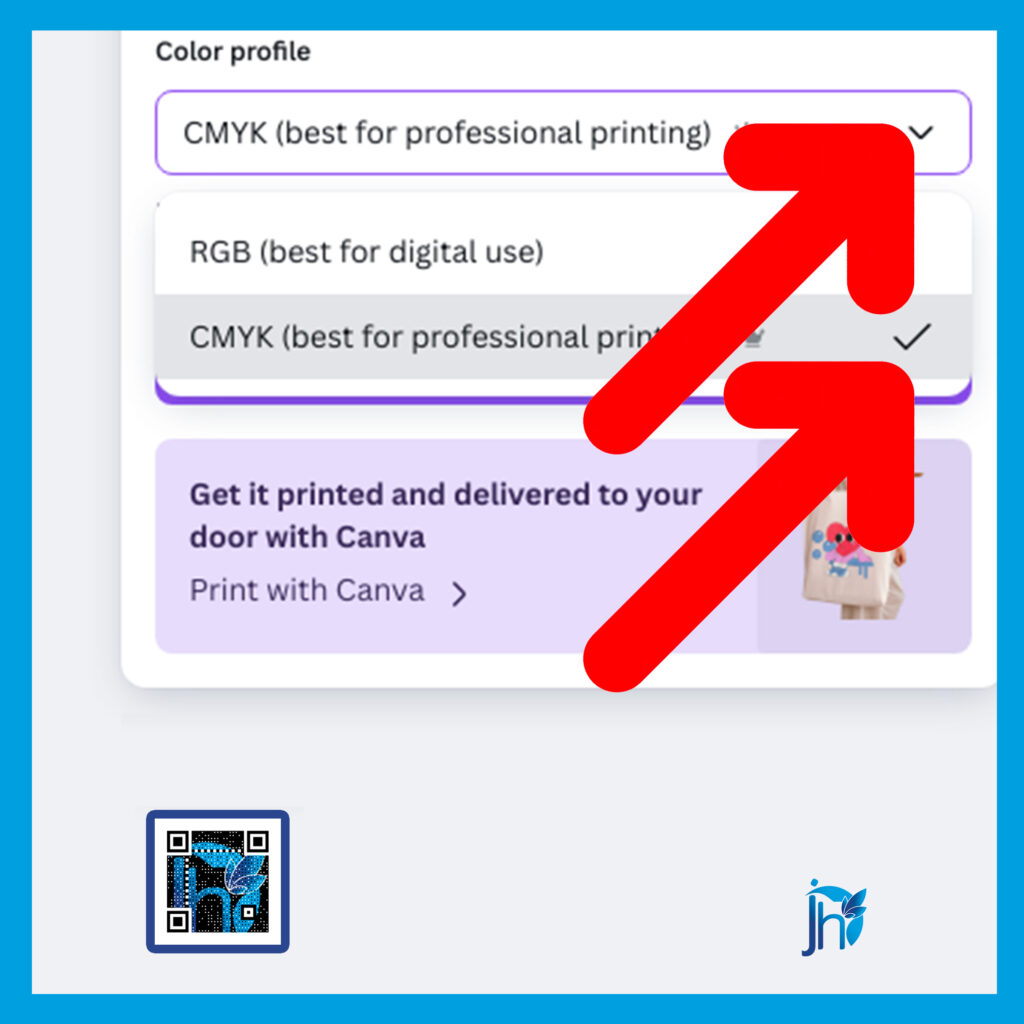
Step 4: Select CMYK Color Mode
Choose CMYK as the color mode. This is the standard color format used in professional offset printing and ensures better color accuracy.
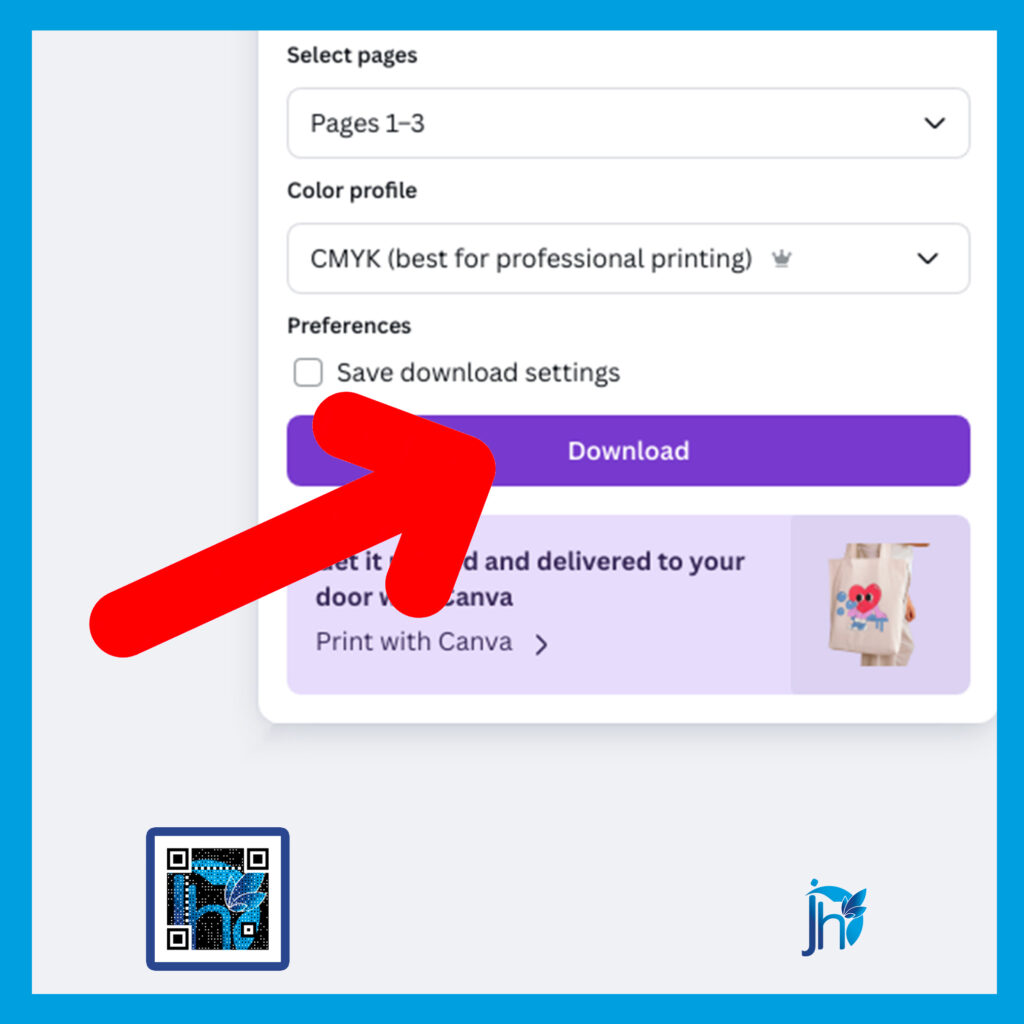
Step 5: Click Download
Once all settings are correct, click Download and wait for Canva to generate your print-ready PDF file.
Why These Settings Matter
Using PDF Print and CMYK helps:
- Maintain high image resolution
- Prevent color shifts during printing
- Meet offset press requirements
- Reduce costly reprints and delays
Correct export settings make communication with your printing press smoother and faster.
Before sending any Canva file to an offset printing press, always double-check your export settings. A properly exported PDF ensures your design prints clearly, accurately, and professionally.
Taking a few extra seconds during export can save you time, money, and frustration—and helps deliver a souvenir program you can be proud of.
👇 Need help preparing your Canva files for offset printing? Click the button below and let me check your file or convert it into a press-ready layout that printers will accept without issues.
Click the link here:👉 Souvenir program layout support