Adobe InDesign Document Setup for a 9×12 Souvenir Program (Side Binding)
Setting up your document correctly in Adobe InDesign is the foundation of a clean, professional souvenir program. A proper setup helps avoid layout problems, printing errors, and last-minute revisions—especially during graduation season when deadlines are tight.
In this guide, I’ll walk you through the correct document setup for a 9×12-inch side-bound souvenir program, using simple steps that are easy to follow—even if you’re working from home.
Step-by-Step Document Setup in Adobe InDesign
Step 1: Create a New Document
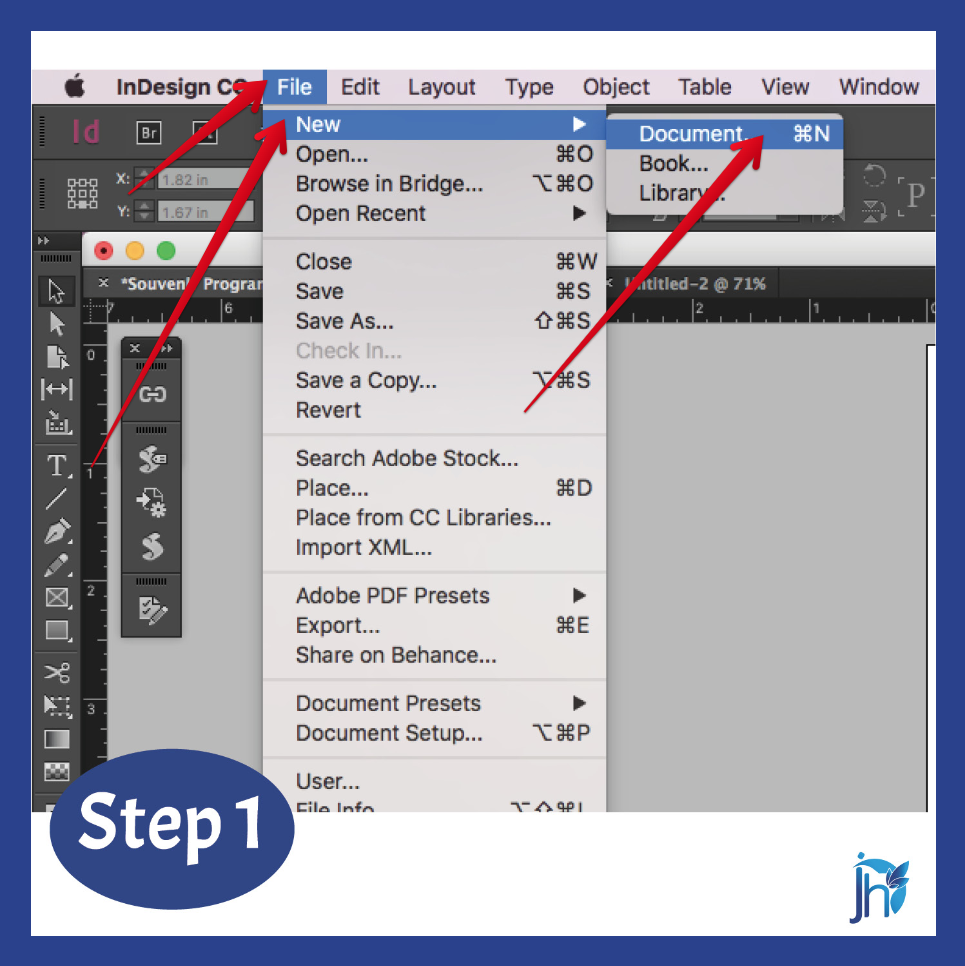
Go to the menu bar and click:
File → New → Document
Step 2: Set Up the Document
Number of Pages
- Set the number of pages based on your project needs.
- You can always add or remove pages later.
Page Size
- Width: 8.5 inches
- Height: 11.5 inches
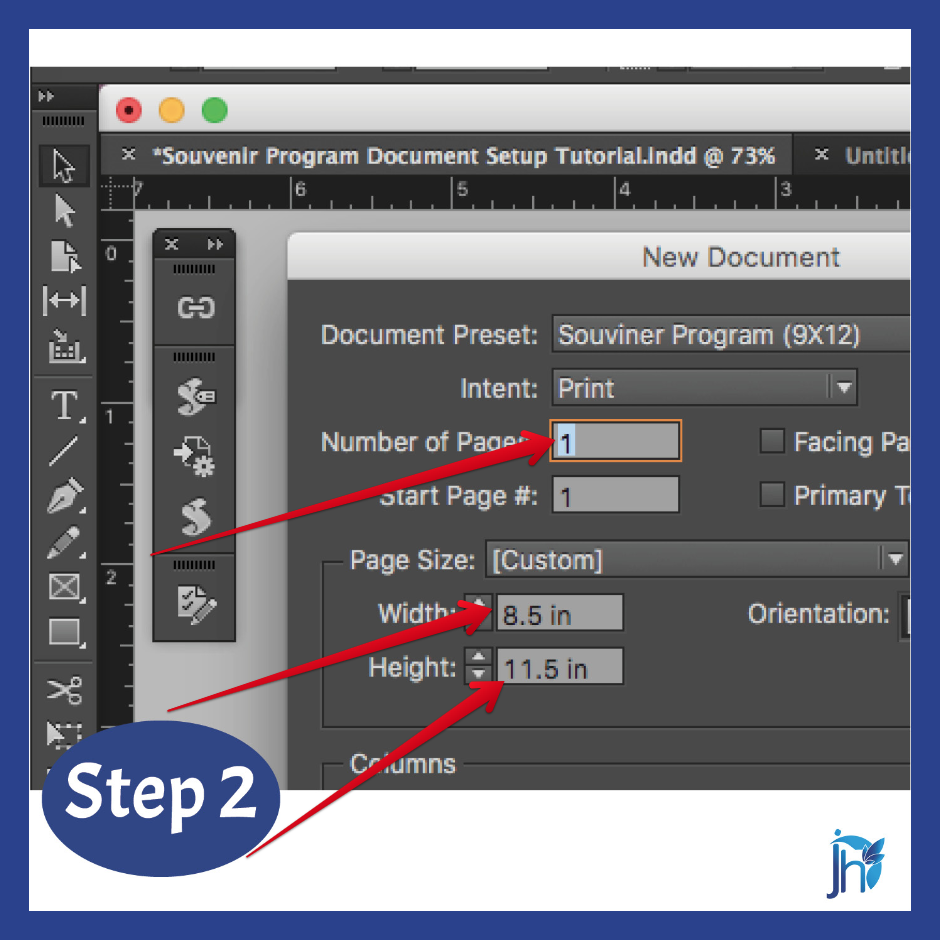
(This setup allows proper trimming for a finished 9×12-inch souvenir program.)
Step 3: Bleed and Slug Settings
Set the following bleed values:
- Top: 0.25 inch
- Bottom: 0.25 inch
- Inside: 0 inch
- Outside: 0.5 inch
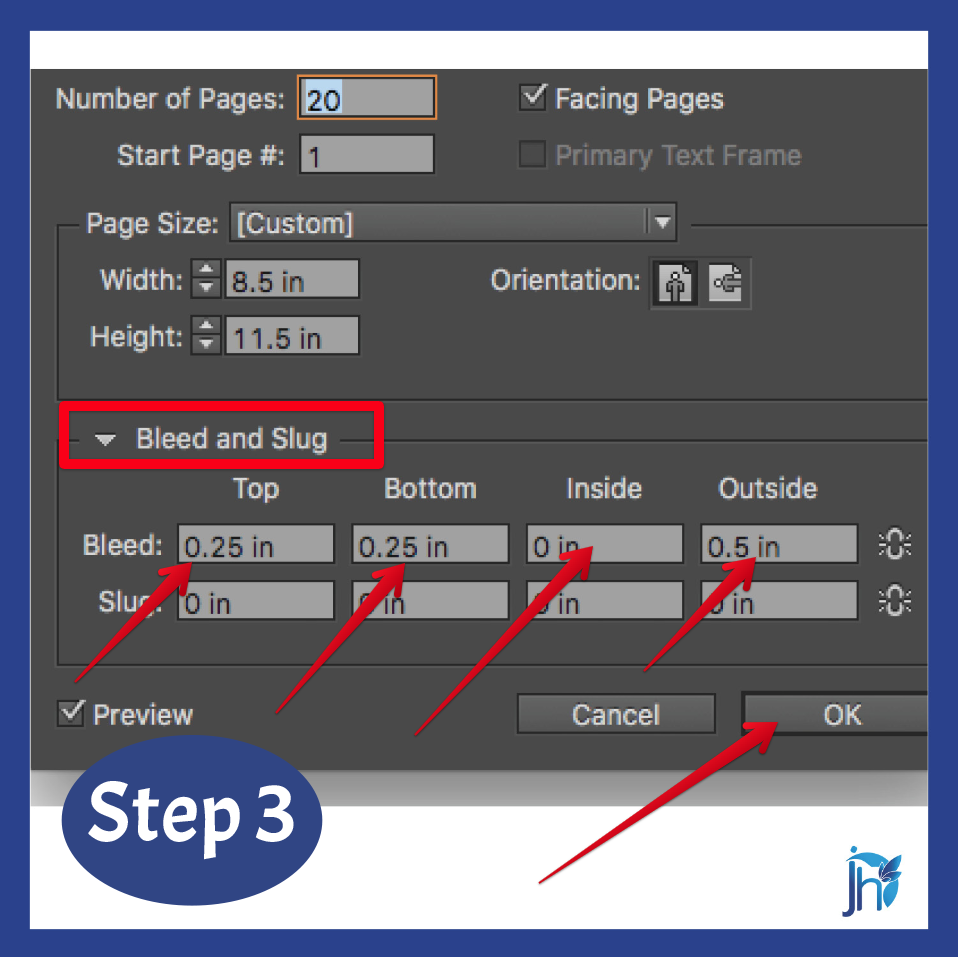
Bleeds are important to avoid white edges after trimming.
Step 4: Set the Margins
Click the Margins section and apply these values:
- Top: 0.5 inch
- Bottom: 0.5 inch
- Inside: 1 inch
- Outside: 0.5 inch
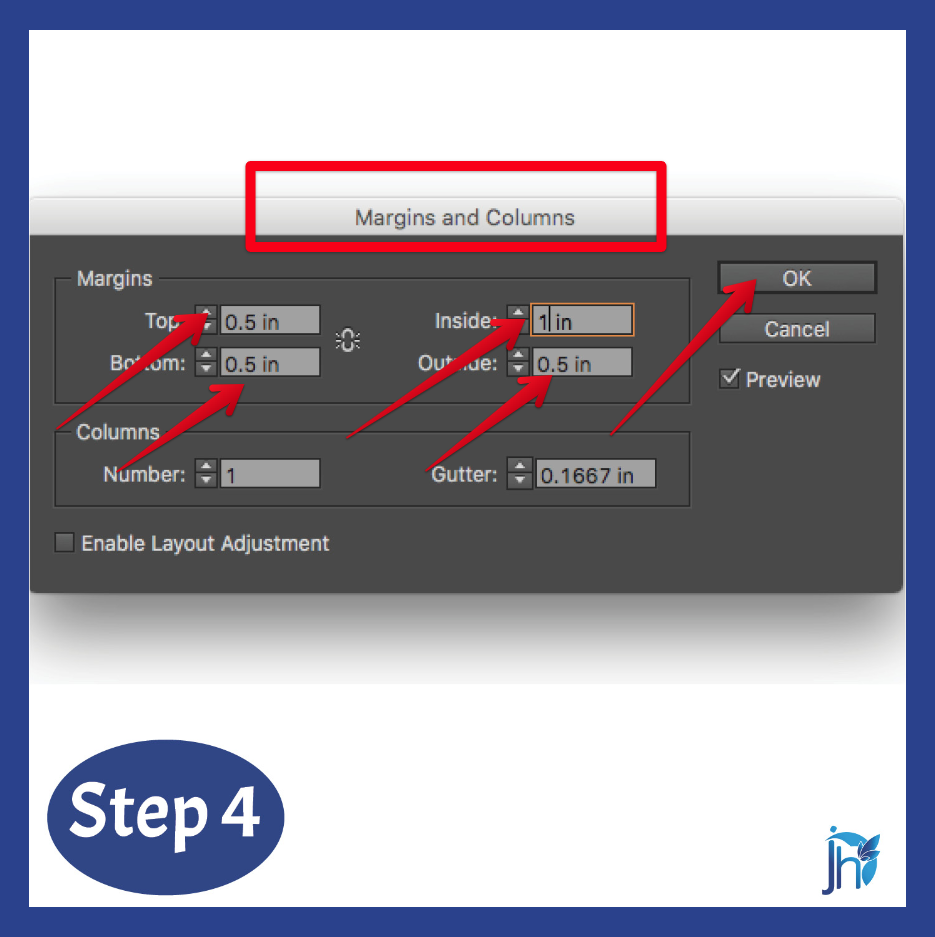
The wider inside margin ensures enough space for side binding and prevents important content from being too close to the spine.
Why Proper Document Setup Matters
A correct InDesign setup:
- Prevents trimming and binding issues
- Saves time during revisions
- Produces print-ready files that printers will appreciate
- Makes your layout look clean, balanced, and professional
When your foundation is right, the rest of the design process becomes much easier.
Before adding text, photos, or design elements, always start with the correct document setup. For a 9×12 side-bound souvenir program, proper page size, bleed, and margin settings make a huge difference in the final printed output.
Taking a few minutes to set this up correctly can save you hours of corrections later—and help you deliver a polished, professional souvenir program with confidence.
👇 Need help setting up your souvenir program or preparing print-ready files? Click the link below and let’s work together to create a clean, professional layout—done right from the very start.
Click the link here:👉 Souvenir program layout support